


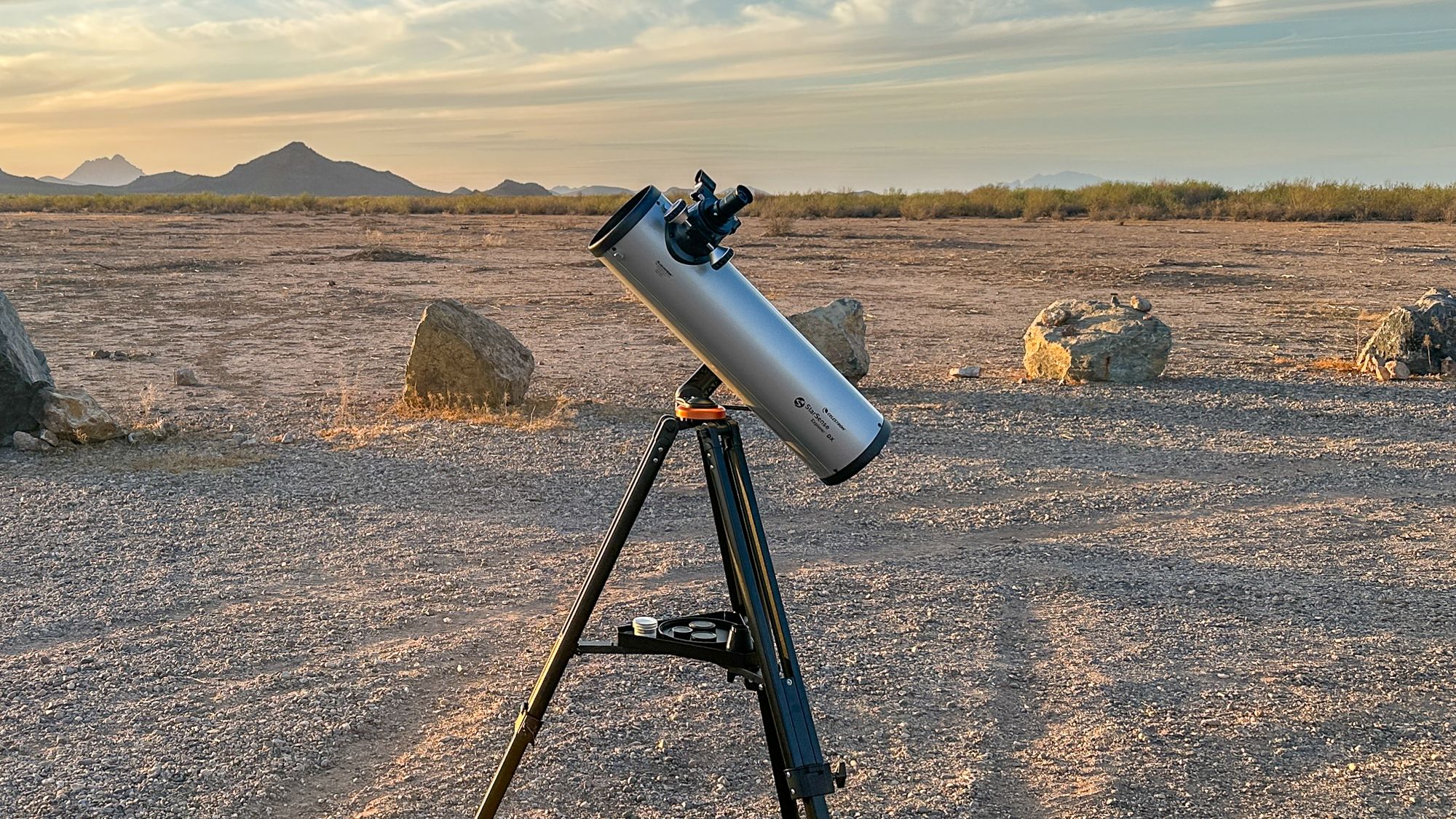


The Celestron StarSense Explorer DX 130AZ is a 5.1-inch (130mm) f/5 Newtonian reflector, one of many 130mm f/5 reflectors offered by Celestron. The DX 130AZ is also one of two 130mm StarSense Explorer variants, the other being a tabletop Dobsonian. The optical tube here rides on an alt-azimuth tripod instead and uses a 2-inch focuser, but otherwise, there are no major differences.
The DX 130 AZ is certainly one of the better telescopes in the StarSense Explorer series; there are also several decent Dobsonians, a pair of decent Schmidt-Cassegrains, the merely acceptable DX 102 refractor, a 114mm Bird-Jones model and some small refractors that aren’t of much use.
The DX 130AZ is definitely on the small end of what can be called a “serious” instrument, but even under a fairly light-polluted sky, it’s big enough to show you plenty of deep-sky objects and, of course, stunning detail on the moon and planets.
Celestron StarSense Explorer DX 130AZ review
Celestron StarSense Explorer DX 130AZ: Design
(Image credit: Zane Landers)
- 130mm f/5 Newtonian reflector with a parabolic primary and flat secondary mirror
- Manual alt-azimuth mount and tripod with StarSense smartphone dock — no motors
- Two 1.25” eyepieces included (25mm yielding 26x, 10mm yielding 65x)
The DX 130 rides on the same alt-azimuth mount/tripod shared with the other StarSense Explorer DX models. It’s reasonably sturdy, with one major caveat: you can’t actually point the DX 130 straight up. When aimed above about 70 to 75 degrees, the tube crashes into the mount or the tripod legs.
However, there is a simple workaround here. Deliberately set the tripod up unlevel, which lets you reach the zenith without affecting the mount or the StarSense system at all. It looks a little silly, but it works. The tripod is fairly stable as long as you’re not in a windy spot. Loading the accessory tray with sandbags or diving weights, or filling the hollow aluminum legs with sand or foam, helps considerably if you’re willing to do a bit of DIY work.
The mount has slow-motion controls with small gears for fine adjustments. They have a fair amount of play in them, but since this telescope is really only meant to be used up to about 200x magnification or so, it doesn’t matter much. In practice, the author barely used the slow-motion controls and simply nudged the scope by hand. For aiming the DX 130AZ, a red dot finder is provided in addition to the StarSense Explorer tech.
The StarSense Explorer DX 130 AZ comes with two eyepieces: a 25mm (26x) and a 10mm (65x). These are three-element eyepieces, likely Konigs or reversed Kellners. They work acceptably; the 25mm is a little blurry at the edges, and the 10mm shows some chromatic aberration toward the edge, but both are reasonably sharp. The bigger problem is that the housings are all plastic and there are a lot of internal reflections as a result.
Get the world’s most fascinating discoveries delivered straight to your inbox.

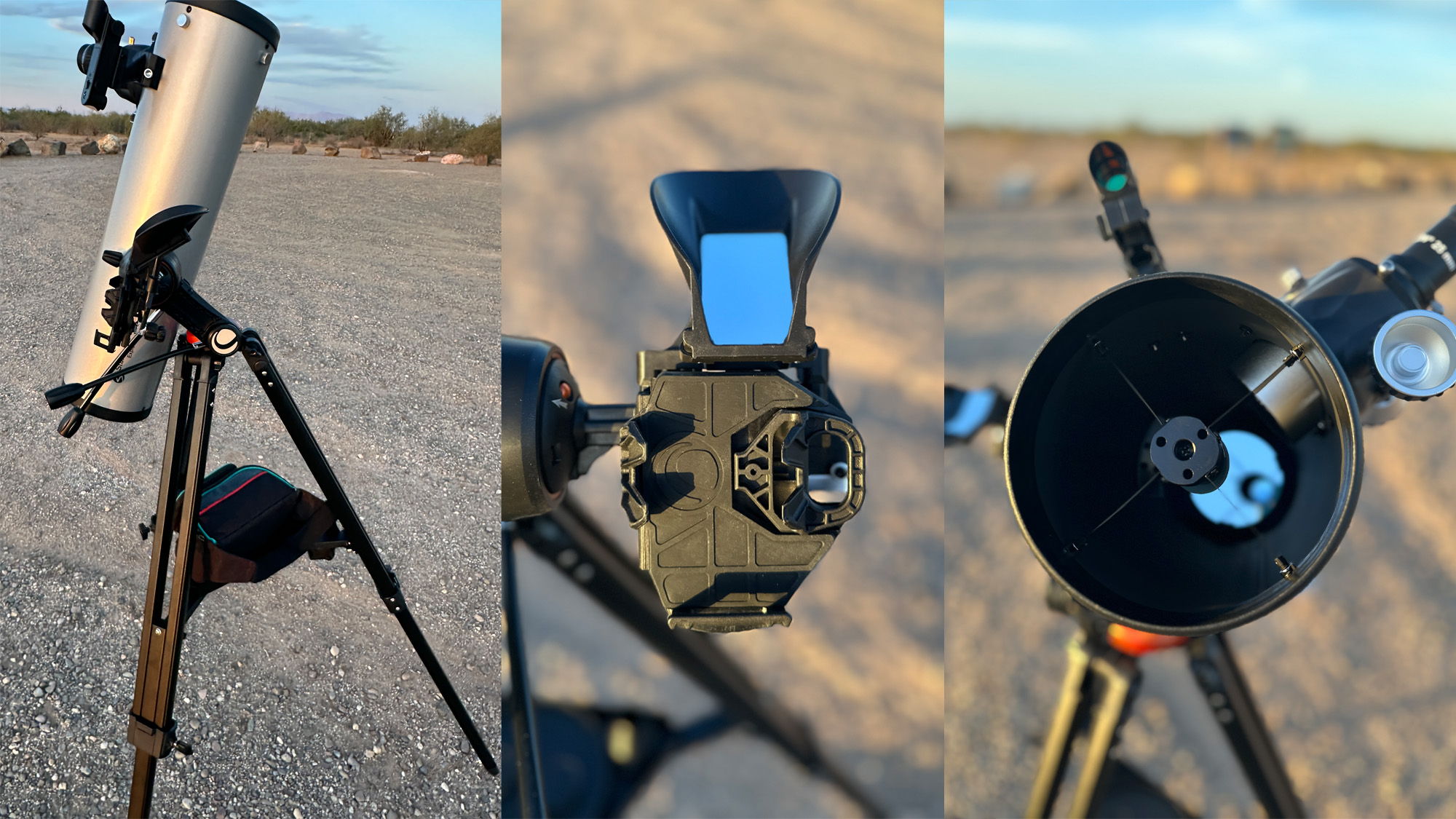
(Image credit: Zane Landers)
Better aftermarket eyepieces would be a wise investment, both for improved performance and a wider range of magnifications. We’d recommend a 6mm redline (108x), a 2x Barlow of some sort and a good wide-field eyepiece like the 24mm APM/StellaLyra UFF (27x), if you can afford it — the 6mm redline gets a bit closer than the provided 10mm eyepiece and offers a much sharper view, while the 24mm UFF is far crisper than the stock 25mm. With a Barlow lens and the 6mm, you can go up to 216x on the moon, planets and double stars — about the highest magnification this telescope can allow. Or you can choose your own eyepiece set to suit your needs.
Specifications
Optical design: Newtonian reflector
Mount type: Manual altitude-azimuth with StarSense smartphone dock
Aperture: 130mm (5.1 inches)
Focal length: 650mm
Focal ratio: f/5
Magnification: ~260x (highest useful)
Included eyepieces: 1.25” 25mm (26x) and 10mm (65x), 50 degree apparent field
Total kit weight: 18 pounds (8.16 kg)
The StarSense Explorer DX 130’s focuser is a 2.5-inch rack-and-pinion unit with a metal drawtube and plastic body. There’s some play in it, but it works acceptably well as long as you don’t overload it with too much weight. The focuser has adapters to accept both the provided 1.25” eyepieces as well as aftermarket wide-field 2-inch eyepieces, but at f/5, you really need a coma corrector of some sort to use the latter, which, along with the eyepieces themselves, will set you back quite a bit.
Being a Newtonian reflector, the DX 130 will usually need to be collimated for sharp images. Celestron doesn’t include a collimation tool, which is mildly annoying, but a basic collimation cap is cheap, easy to 3D-print, or can be improvised from a film canister. Overall, the DX 130 is lightweight and very portable, which is one of its real strengths — it’s easy to carry about, and the StarSense Explorer app will have no trouble plate-solving, even if you have to pick the scope up and carry it around the yard to avoid trees or other obstructions.
Celestron StarSense Explorer DX 130AZ: Performance
(Image credit: Zane Landers)
- Sharp, detailed lunar and planetary views
- Excellent wide-field deep-sky performance from dark skies
- Light and quick to reposition around obstructions
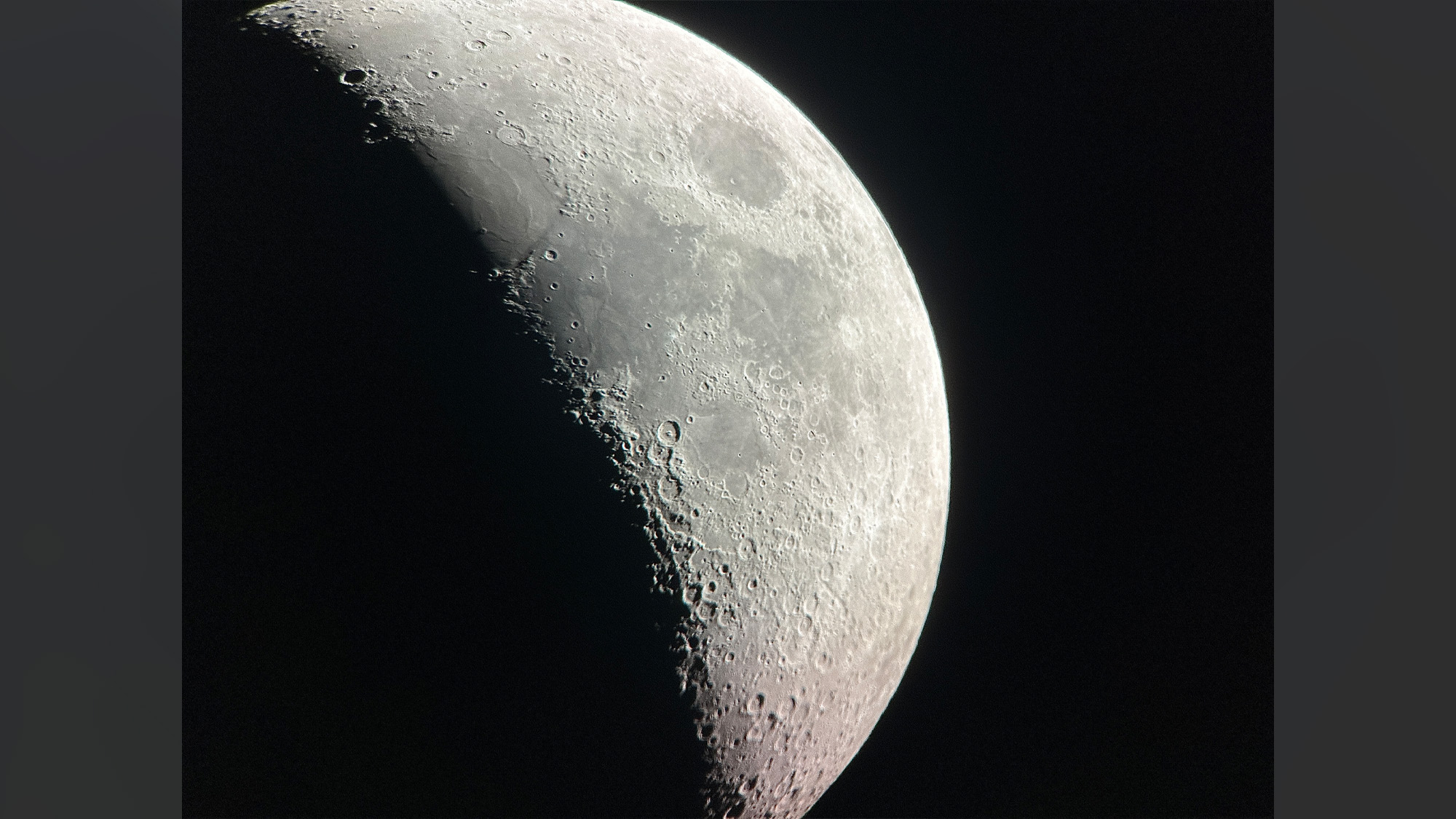
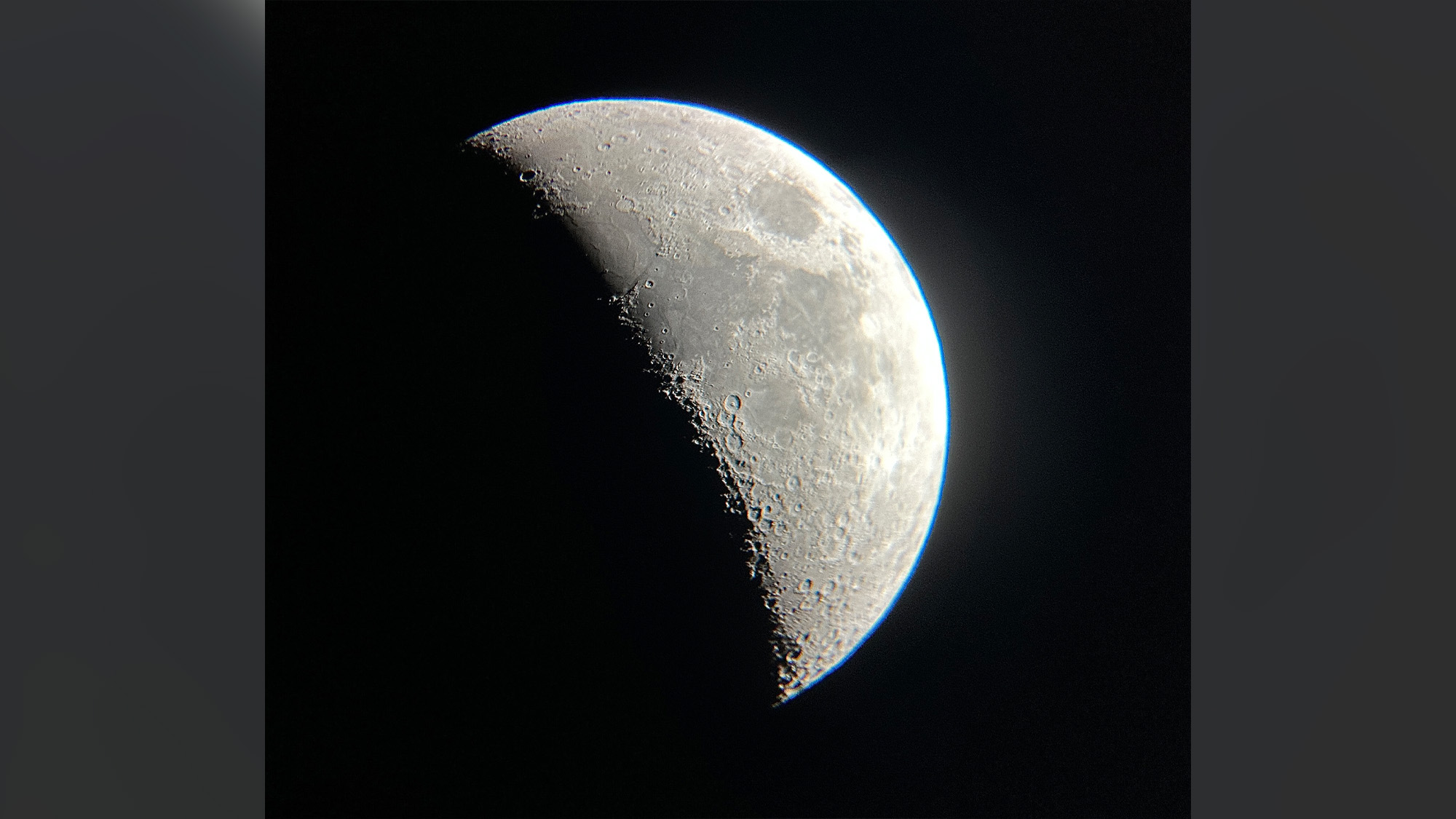
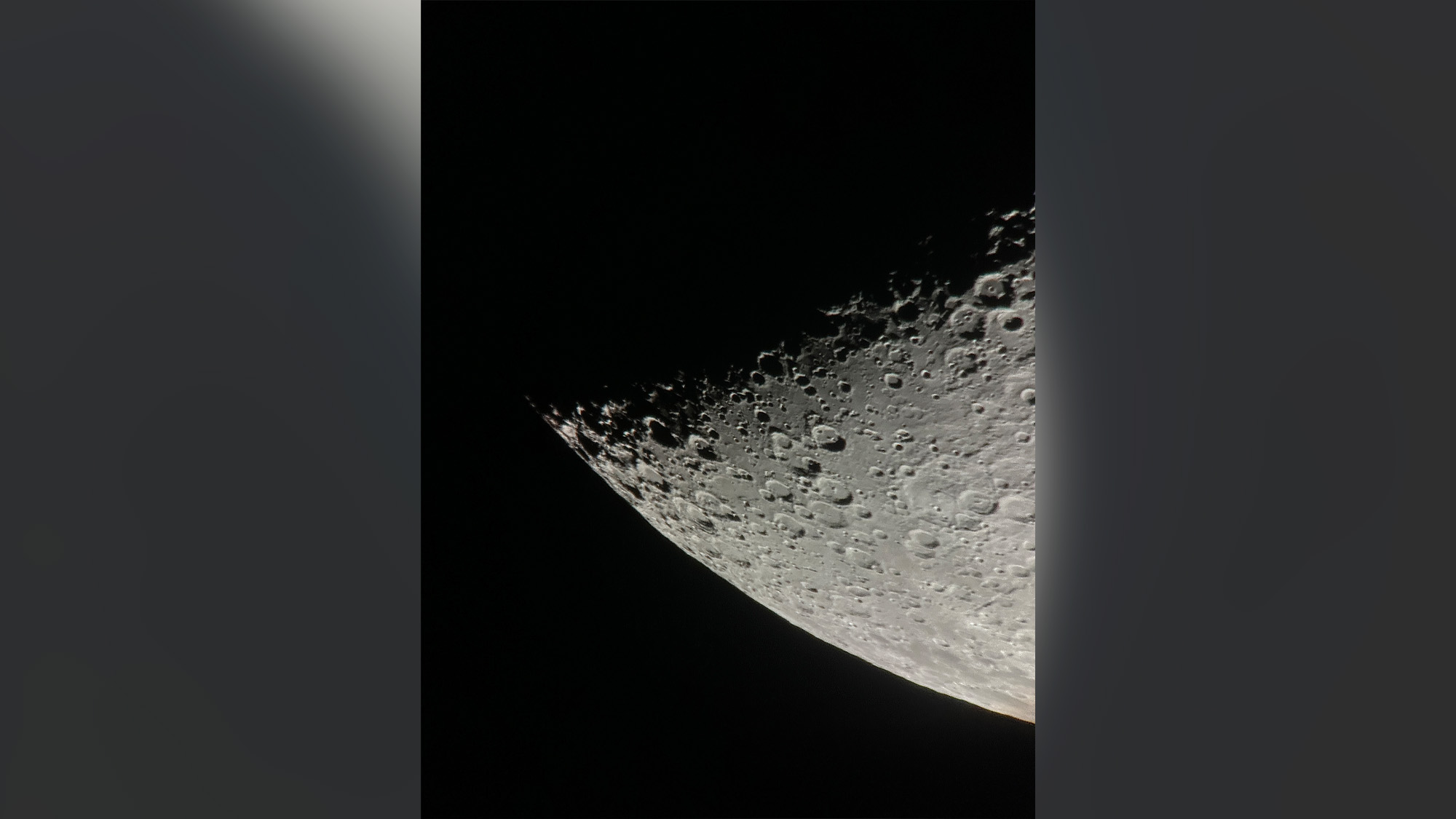
The DX 130 shows a great deal of detail on the moon, down to features a few kilometers across, and it’s genuinely sharp. The focuser is a little coarse, but with some finesse it will reach focus even at high magnifications. The 130mm f/5 optics can handle up to about 250x magnification on a night of steady atmospheric conditions, though the best lunar and planetary views are usually found somewhere between 150-220x and the mount starts to get wobbly as you push towards the higher end of that range.
On the planets, the DX 130 handles shadow transits of Jupiter’s moons easily, shows all four Galilean moons as disks and even reveals the Great Red Spot. Saturn’s rings are obvious, along with a smattering of a half-dozen moons, and the Cassini Division is visible when the rings are tilted more open than they are at present. Uranus is also visible as a tiny greenish disk, though its moons are not. It’s a struggle to distinguish Neptune from a star at all, but the StarSense Explorer app will help you identify which blue dot it is in a sea of similar looking 8th-magnitude points.
(Image credit: Zane Landers)
One practical note: you do need to keep your phone screen dim and red while using this telescope with the StarSense Explorer app. The app has a red mode, but notifications, or your phone simply reverting to the lock screen, can flash the screen bright, and even at its dimmest a phone screen can affect your eyes’ dark adaptation quite a bit. But for most people this won’t be a serious problem if the screen is dimmed fully and used with a proper red filter — either a software solution or a physical red film.
As for deep-sky objects, the spiral arms of the Andromeda Galaxy and M33 look fantastic under a dark sky, though under light pollution only their cores are visible. Globular clusters such as M13 and M3 begin to resolve, while more difficult targets are harder going — M53 was tough from Bortle 5 but doable from Bortle 2 conditions. Under a bright sky, open clusters like M11, M35 and the Pleiades are the main deep-sky attractions with this telescope; under a dark sky, fainter nebulae and galaxies shine far better while the strands of dark nebulae and galactic cirrus begin to show up around open clusters.
The brightest planetary nebulae start to resolve with the DX 130 regardless of sky conditions. Most observers won’t see much color in them with this scope’s relatively small aperture — though some people pick out a bluish-green tint in objects like the Ring Nebula and the Cat’s Eye Nebula — but regardless, they’re reasonably easy to see even from light-polluted areas, especially with an aftermarket nebula filter.
Celestron StarSense Explorer DX 130AZ: Functionality
(Image credit: Zane Landers)
- StarSense app is optional
- Quick and easy setup
- Wide field of view forgives manual pointing errors
The StarSense Explorer DX 130 is, by design, a wide-field telescope, and one of its appeals is that you don’t strictly need any computerized pointing aids at all. The nice thing about the StarSense Explorer system is that it’s entirely optional — you can aim the telescope manually, with or without your phone docked, just like any other manual scope.
Set-up is quick: assemble the tripod and mount, attach the tube and an eyepiece, dock your phone, run the app’s alignment routine, and you’re observing. It’s much easier to get started with the StarSense Explorer than with a GoTo telescope, and you aren’t required to use it, either — for a quick gander at the moon or Jupiter for instance, there’s really no need to deal with the phone dock and app. With experience you might find yourself eventually not needing the StarSense Explorer tech at all, especially given the telescope’s wide field of view, which is quite forgiving of any manual pointing errors.
Should you buy the Celestron StarSense Explorer DX 130AZ?
Buy it if:
✅ You need a portable, tripod-mounted wide-field telescope.
✅ You want phone-guided pointing but also the option to aim manually.
✅ You frequently observe from sites with trees or obstructed horizons.
Don’t buy it if:
❌ You want the most aperture and stability for your money.
❌ You want motorized pointing and tracking capabilities.
❌ You want to observe close-up details in galaxies and globular star clusters.
On the value for money front, you could get a 6-inch or even an 8-inch Dobsonian for the price of the DX 130 if you’re happy with a fully manual scope, or you could look at one of the other options below. The DX 130 is more portable than a full-size 6- or 8-inch Dobsonian and has a much wider field of view with any given eyepiece — but if you don’t have a fairly dark sky, that advantage is somewhat less valuable compared to those telescopes’ considerably larger aperture, which helps reveal more on targets less affected by light pollution.
A reflector like this gives much better views than the cheap refractors sold at this price and offers a much wider possible field of view than catadioptrics. The StarSense Explorer DX 102, effectively this scope’s sister model, has too much chromatic aberration to deliver sharp high-power images and doesn’t gather as much light as the 130. The StarSense Explorer 5-inch Schmidt-Cassegrain is decent optically and is admittedly a little more forgiving of cheap eyepieces thanks to its longer focal ratio, but it’s no better for planetary work than the DX 130 with proper eyepieces, can’t deliver a wide deep-sky field of view, and gathers slightly less light overall.
Overall, the DX 130 wouldn’t be the author’s top recommendation, but it’s certainly in the top 10 for the price range. If you’ve already decided this is the kind of telescope that you want, it’s a perfectly good choice; just consider the Dobsonians first if you want a manual telescope, or a fully automatic GoTo instrument if you want something more high-tech.
If this product isn’t for you

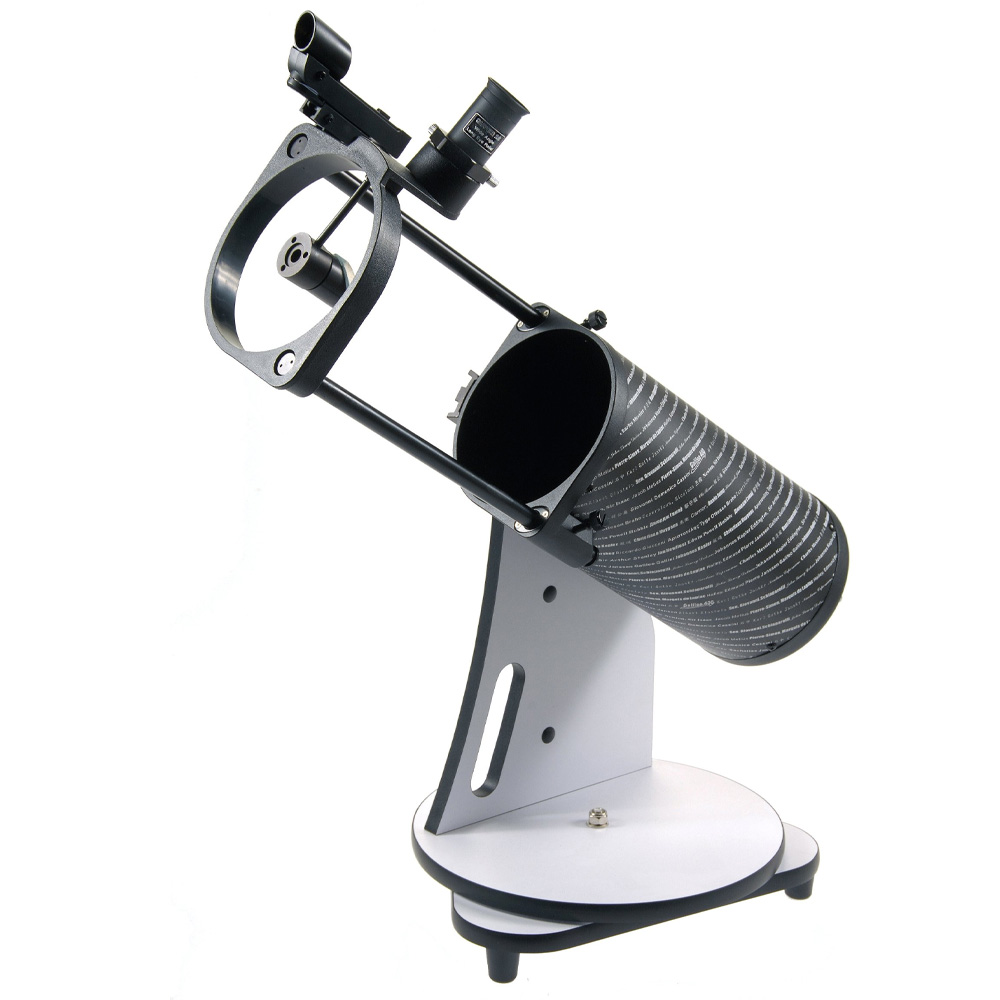
Sky-Watcher Heritage 130P
The Sky-Watcher Heritage 130P uses the same optics as the StarSense DX 130 but is cheaper and more compact thanks to its collapsible tabletop Dobsonian design. The StarSense Explorer 130mm Dobsonian is another option — the same optics again, in a tabletop Dobsonian without the collapsible tube.
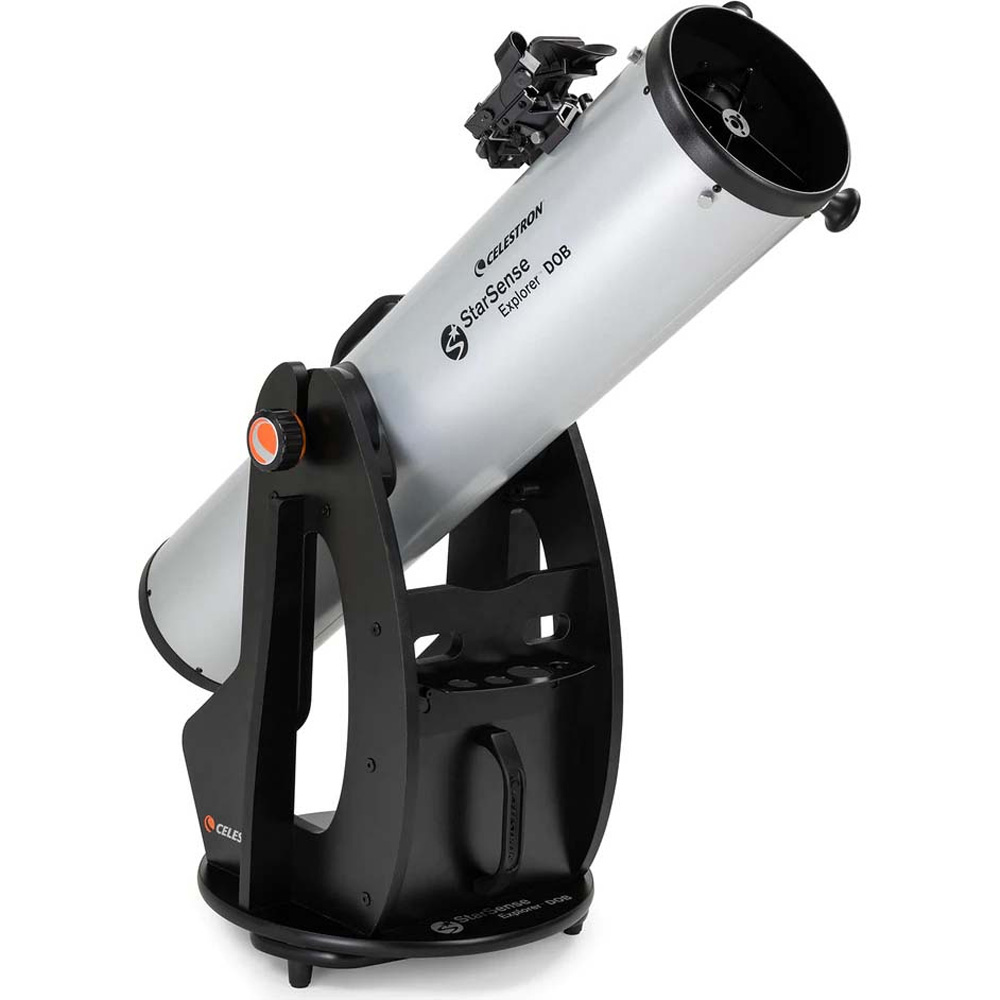
Celestron StarSense Explorer 8-inch
A 6-inch f/8 Dobsonian like the Apertura AD6 or Sky-Watcher 6-inch Classic, or even one of the 8-inch models like Celestron’s own StarSense Explorer 8-inch, is much sturdier than the DX 130 or a tabletop scope/tripod, and offers easier collimation as well as higher performance with inexpensive eyepieces. However, they’re quite a bit bulkier and heavier than the DX 130 or a tabletop Dobsonian.
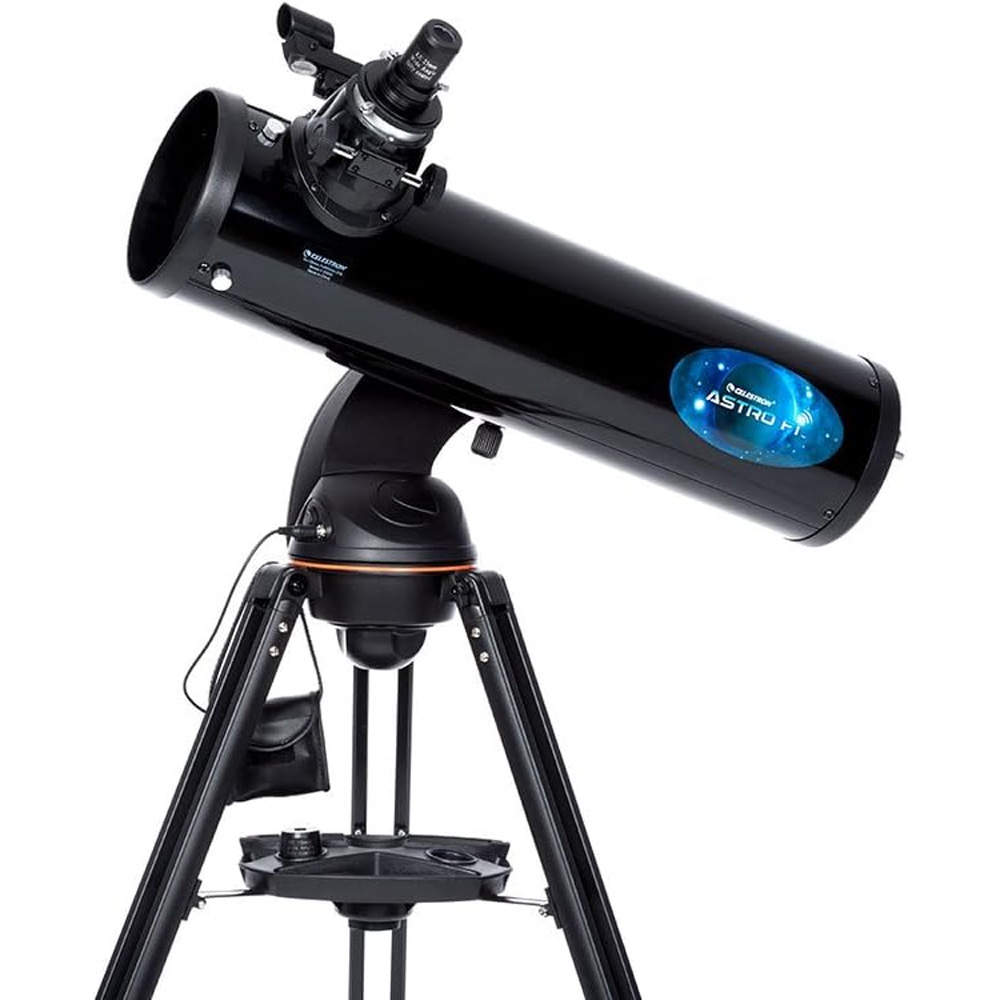
If you want fully computerized pointing, Celestron’s Astro Fi 130 offers identical specs to the StarSense Explorer DX 130AZ but with full GoTo and tracking operated via your smartphone instead (and can be aimed straight up). However, set-up is much more time-consuming as you can’t simply put the telescope down and go.